It's important to note that Google doesn't always show SEO symbols — sometimes it picks which ones to display. So if your emojis don't appear in the SERP, it's not that you did it wrong: Google simply doesn't want to show them for various reasons.
What are SEO emojis and why do they matter for ranking?
SEO emojis don't just help you communicate more fluidly. They're often excellent tools to improve your search ranking and the CTR of your digital page.
They're also worth keeping in mind to get good results in your digital marketing campaigns and stay up to date with digital trends.
There are many ways to implement web emojis; in this post we explain some of them and all the benefits you'll get thanks to these SEO symbols.
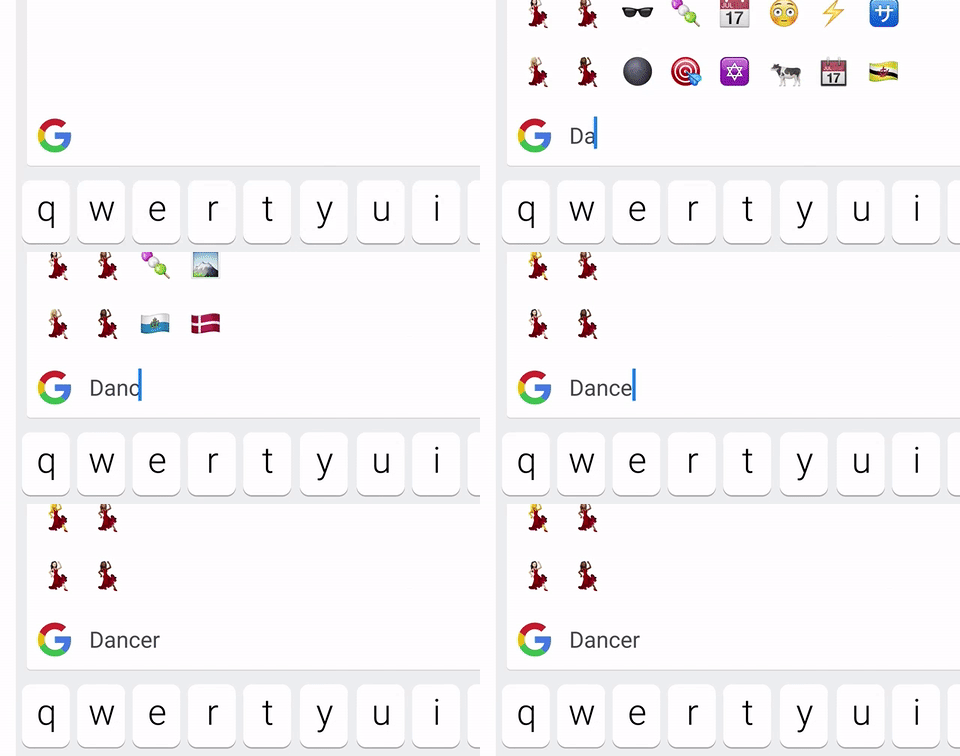
A very important aspect for organic ranking is CTR — something we'll boost with CTR emojis (SEO emojis).
When the user searches for something, the SERP shows different results and they'll click the one that interests them most and grabs their attention.
That's where SEO emojis come in: placed to stand out from your competition and get the user to notice you before the others. Just by using emojis for web pages.
Where can you use SEO emojis to increase visits?
For your website to be indexed in the search engine of Google, Yahoo and Bing, you need to know the perfect place to put SEO symbols. This way SERP emojis will help you increase the number of visits to your site.
The best practice is to place these emojis in the title, the meta description or within the text. This not only adds a certain dynamism to your content.
You'll also be able to rank your digital page knowing you'll capture users' interest, using them as a personal trademark.
SEO Emojis, Icons and Symbols for SEO Titles
The most important place to put SEO emojis is the title, since it's the part that stands out most in the SERP alongside the meta description.
In the title not all web emojis are compatible; Google doesn't show every SEO emoji that exists.
Below are SEO emojis you can copy and paste for your website's title.
✓▷▼ⓇⓅ✗➞➛▷⊛▷☟⚽??▶✌⓿❶❷❸❹❺❻❼❽❾❿⓪①②③④⑤⑥⑦⑧⑨⑩⓵⓶⓷⓸⓺⓻⓼⓽⓾♡【】
Don't confuse title with H1: the title is what shows in the SERP and H1 is the main heading of the page.
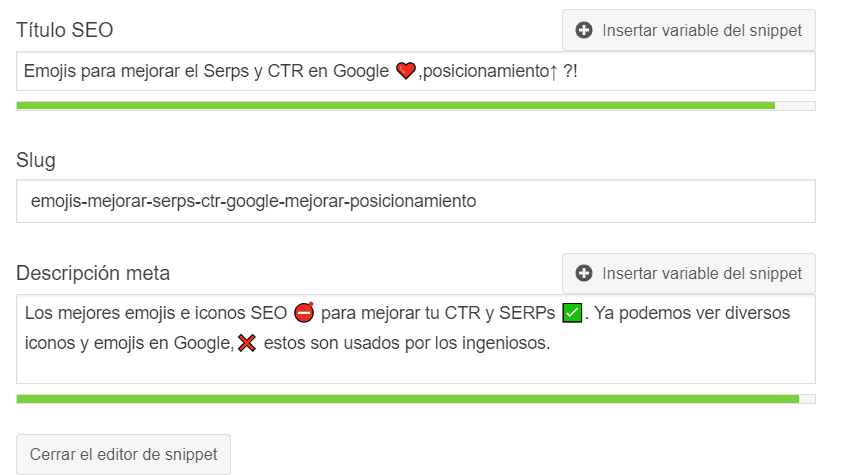
SEO Emojis, Icons and Symbols for Meta Description
The second most important place to put SEO emojis or symbols is the meta description, since it shows in the SERP below the title and gives you a wider field for text and web emojis.
As with the title, not all web emojis will be compatible. Below are some SEO symbols that work with the meta description and that Google displays correctly in the SERP.
✅ ✍【】➤➤ ✌【✓▷ ✌ ? ? ❤ ⚠ ⚡ ? → ⇨ ✔ ✆ ⛳ ✅ ✨ ? ? ✌ ✓ ®©✍➕⌛◁▼ⓇⓅ✗➞➛▷⚽☎??▶❤♡☟⌛☎©®⭐??☑?⛳✍??⓿❶❷❸❹❺❻❼❽❾❿⓪①②③④⑤⑥⑦⑧⑨⑩⓵⓶⓷⓸⓺⓻⓼⓽⓾❤
SEO Emojis, Icons and Symbols for Category
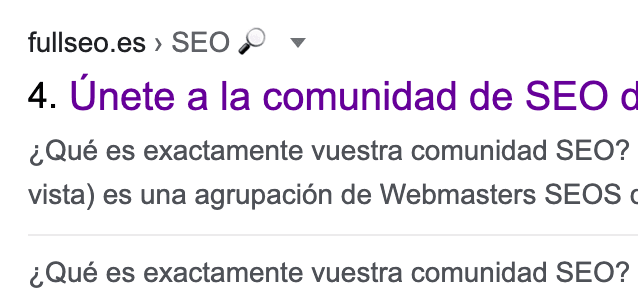
Another place that's not usually used for SEO emojis due to lack of awareness — but is very effective — is in categories. Whether it's a blog or a product, Google shows breadcrumbs in the SERP, and if the category in those breadcrumbs includes a web emoji, it'll show in the SERP.
Below are some SEO symbols compatible with SERP breadcrumbs so you can use them in your website categories. In this case, this post is in the "SEO?" category.
? ✓ ® © ✍ ≫ ◁ ✅ ✨ ? ✔ ✆ ⛳ ✌️ ? ? ❤️ ⚠️ ⚡ ? → ⇨ ➕ ⌛ ⌚ ➡️ → ⇨ ⊛ ( ) ? ? ? ? ?☟
SEO Emojis, Icons and Symbols for URL paths
You can also put SEO symbols in the URL, although it's not recommended at all since it can cause problems. If your goal is to put a web emoji in the URL, keep in mind it's not compatible with all devices and you may have other more complicated technical issues.
Even so, here are the web emojis most commonly used for URLs.
"✓ ® © ✍ ▷☟ ◁ ✅ ⇨ ? ? ❤ ⚡ ? ⚠ → ➕ ✨ ⛳ ? ? ✔ ✆ ✌ ⚽??▶】
Emojis for YouTube titles
Same as with CTR for organic SERP results, YouTube videos are also compatible with SEO icons and symbols. The good thing is that most emojis for YouTube titles are compatible and it always shows them. If you want copy-and-paste emojis for YouTube titles, below we show you all the YouTube-compatible emojis.
Where can I find more SEO emojis?
There are several websites where you can find your SEO emoticons. Among the most notable: Emojipedia, emojicopy, emoji for Google Chrome and Symbols… Generating thousands of options to improve your CTR.
So you don't waste time looking for these emoticons, we've placed all the SEO emojis that exist inside this dropdown so you simply have to copy and paste them wherever you want.
What should I consider when using SEO emojis on my website?
- If you restore a backup, they may disappear.
- Don't overuse them.
- Google doesn't always show every emoji you use in the SERP.
- Keep a consistent style across all posts.
- Direct the visitor's gaze toward where you want it (to achieve your goal).
How can I put SEO emojis on my site?
Once we've explained the ideal places to put your SEO emojis, now we'll tell you how to put these icons on WordPress pages, CMSs and in HTML. Remember that for each of these situations, certain steps must be followed for your emojis to be reflected in the meta description, titles, etc.
Adding SEO emojis on WordPress
To put SEO emojis in your WordPress Yoast SEO, do the following:
-
Copy the SEO emoji in the first field that appears.
-
Click the "convert" option (you can use a free tool like Unicode code converter).
-
Copy the code in the Hex NCRs field.
-
Paste that code into the snippet.
-
Click "save" and you'll see your icons in the Yoast SEO snippet.
Adding emojis with any CMS
To put web emojis in any CMS, do the following:
- Go to the option to edit the page where you want to place the emoticon.
- Add the SEO symbol in the section you want.
- Save the changes to the page.
This is one of the simplest steps needed to add an icon to your CMS. You should also check they're compatible with your CMS version, although most content managers support these types of symbols and icons.
Adding SEO emojis on the web in HTML
If you want to put SEO emoticons in your HTML, follow these steps:
- Access the web portal, page, etc., you want to edit.
- Go to the "Code editing" section.
- Add the emoji code to the page code.
- Save the changes.
Related reading
- How to index your site on Google
- Ranking on Google: technical, content and authority
- Best SEO agency: real criteria
Shall we work together?
If you want to apply this in your company with a team that combines technical SEO, GEO and paid acquisition measured against the income statement, request a no-commitment audit. You can also check real case studies or read the public GEO baselines that Elevam Labs publishes every quarter.