Having a website implies maintenance and monitoring for you to succeed. There are numerous tools, both free and paid, but Google Search Console is a key tool. Knowing the great importance it has for your website, we'll help you learn a little more about it and learn how to use it.
What is Google Search Console?
It's most likely that you always use Google tools in the day-to-day of your business, since the resources it offers help to maintain and optimize a website correctly. In the case of what is Google Search Console, we tell you it's the ally of Marketing professionals and webmasters to improve website positioning. In other words, google search console is a Google tool to help you ensure that your website is indexed and found in searches of your potential clients.
Previously called Webmaster Tools, it was created to help webmasters. Currently, it has a great change because it's no longer necessary to have technical knowledge to use it. Therefore, it has a greater reach to other users and not just for professional technicians.
With this tool you have the possibility to know how Google views your website and know what you need to improve to get better positioning in searches.
If you've wondered what Google Search Console is for, it's a free service that allows you to check the status of crawling and indexing (among other things) of your website and optimize its visibility. Additionally, thanks to Search Console reports you can make improvements to the seo aspect of your website.
Today, Google Search Console is focused on SEO positioning. Therefore, it can be summarized that it serves to:
- Know the search appearance: how your website is showing in Google's organic results. Also, you can detect errors in meta descriptions, titles, duplicate content or content not optimized for indexing.
- Identify the origin of your visits: know how people find you, with what keywords users are finding you, the domains that link to your site (off page SEO) and the internal link structure.
- Mobile device efficiency: know if your website is adapted for mobile devices and check its usability, performance and visibility.
- Resolve crawling and indexing problems.
- Review security problems.
- Discover which websites link to yours.
- Verify your website's speed.
- Remove URLs you don't want to appear.
- Check if your website's robots.txt and sitemap files work correctly or have errors.
- Know which pages have blocked resources.
- Disavow links.
- Deindex url.
- Know if a website is penalized by Google.
- And much more, they're improving it more and more.
How to verify domain in Google Search Console
To understand how this tool works you must go to Google Search Console and register your website in this service. To do this, you can log in to Google Search Console and enter your website to start.
If you want to start monitoring and collecting data from your website, you'll need to create an account and configure it. Verifying your domain is easier than you think, just follow the indicated steps and easily you'll have a property created and verified.
1. Enter the platform's website
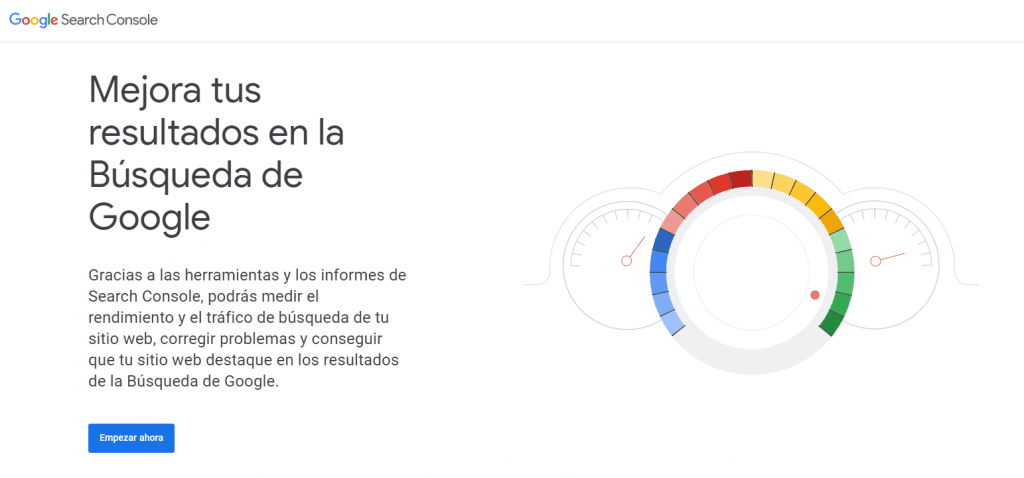
Enter the Google Search Console page and click "start now" and we register with the email we want to create the property with.
2. Select your property type
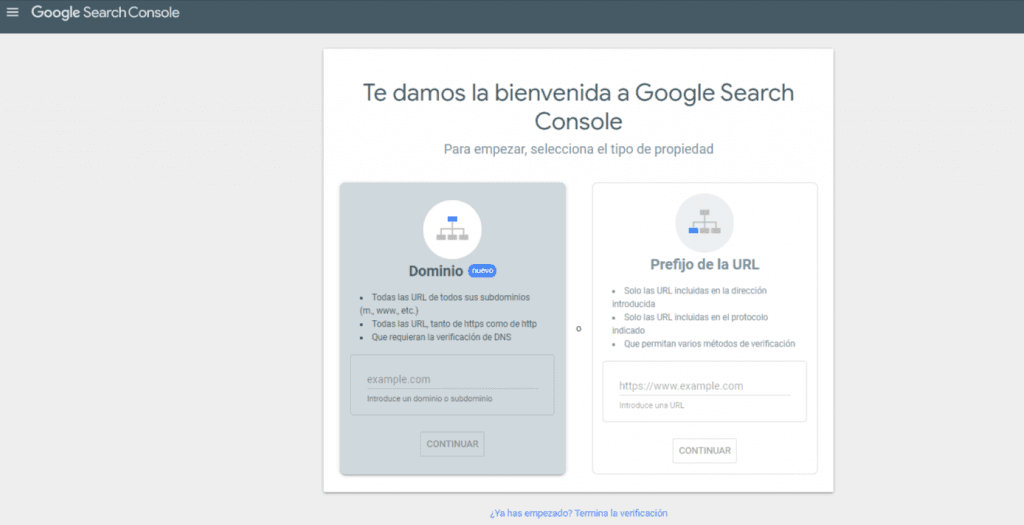
You can choose between two options. But we're going to use the URL Prefix one. For that we have to copy the URL, including the https:// and paste it in the URL prefix, and click continue to verify.
3. Verification and file download
When you place the prefix and it's verified, it will return a file you have to download and upload to the server where your website's files are.
4. File upload
When you download the property file, head to FTTP, cpanel or your file manager you have on your website. Go to where the files are, upload it and click verify so it returns that the property is yours.
5. Enter the platform's interface
Let's go to the property and you'll enter directly into the Google Search Console interface.
As an extra tip I'll tell you if you download the file twice, the system automatically places a number at the end in parentheses of the name (1). It's very fundamental to change that name to remove that number and put the original name because otherwise the property won't be verified.
What are its basic principles
Google Search Console is a set of tools that has basic principles such as:
Regulate to achieve the best results
Knowing how your website is indexed and crawled by Google and other information allows you to have control of its performance. Likewise, it gives you clarity whether SEO strategies are on the right path and if it's working. Therefore, the information provided by the tool is useful to leverage it to get the best results.
Act quickly
Google Search Console reports are so useful for showing what problems your website has. However, having all this information, it's necessary to act quickly to correct the failures. In other words, the first thing you must do after having this relevant data is work on resolving it.
The most important Google Search Console metrics
The performance tab of Google Search Console shows four fundamental metrics you must consider monthly. These metrics are:
- Impressions: number of times any URL of your website appears in Google search results. This way, you can see how much your content is being considered by the search engine.
- Clicks: number of clicks your website's URLs received when they appeared in search results. This reveals how many people have been interested in the titles you've published.
- CTR: the click-through rate is a relationship between the two previous metrics. This lets you know the percentage of impressions that generate a click.
- Position: is the average ranking of your website's URLs in search results.
This tool can give you information about your website, which is fundamental to improve your positioning on Google. That's why you must learn how to use Google Search Console. It's worth exploring the metrics you can get in these tools and put it into practice to make the modifications your website requires.
Related reading
- How to index your website in Google
- Ranking on Google: technique, content and authority
- Best SEO agency: real criteria
Shall we work together?
If you want to apply this in your company with a team that combines technical SEO, GEO and paid acquisition measured against the income statement, request a no-commitment audit. You can also check real case studies or read the public GEO baselines that Elevam Labs publishes every quarter.